
Cadillac back-up start A complete 2025 and 2026 update of Cadillac back-up start processes found three changes we’ve now accounted for. Back-up start procedures are necessary in the event that the battery in the key fob dies. New Optiq and Vistiq electric vehicles (EVs) and Escalade models beginning in 2025 all use the rear cup …
Tag: CT4
Permanent link to this article: https://dashboardsymbols.com/2025/09/cadillac-takes-drive-modes-simply-too-far/
Permanent link to this article: https://dashboardsymbols.com/2025/08/cadillac-back-up-start-update-adds-three-model-changes/
Start a Cadillac with a Dead Key Fob
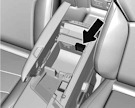
How to Start a Cadillac with a Dead Key Fob This page holds all of the emergency start or back-up start procedures needed for Cadillac vehicles if the battery in the key fob dies or if there are electrical signals interfering with the fob. But first, if you are still locked out, click here for …
Permanent link to this article: https://dashboardsymbols.com/2018/09/cadillac-dead-key-fob-help-part-ii-getting-started/
Unlock a Cadillac with a Dead Key Fob
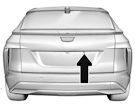
How to Unlock a Cadillac with a Dead Key Fob This page holds all of the emergency open or back-up open procedures needed for Cadillac vehicles if the battery in the key fob dies or if there are electrical signals interfering with the fob. Getting into Your Cadillac But first, if you are already inside, …
Permanent link to this article: https://dashboardsymbols.com/2018/09/cadillac-dead-key-fob-help-part-i-getting-in/
Cadillac takes drive modes simply too far
Drive modes While continuing the update of Cadillac symbols, we found ourselves adding two new drive modes. In fact we added two new snow and ice mode symbols in use in different models at the same time! In examining this, we came across a table in the CT4 owner’s manual that shows all of the …
Continue reading